API-first QR code platform: when SaaS dashboards aren’t enough
Unitag has generated more than 40 million QR codes since 2013, and no team reaches numbers like that by pressing a create button in a web dashboard. Volume comes from systems: a product database feeding a print run, an ERP raising a QR code for every new SKU, a scheduled job that swaps campaign destinations overnight. When a QR code programme starts moving in that direction, the questions you put to a vendor change. What the dashboard looks like matters less than what sits underneath it.
This article is written for the IT or product lead who has been handed that evaluation. It covers what “API-first” means as an architecture, the jobs a dashboard alone cannot do, and how one QR code platform can serve an engineering team and a marketing team at the same time without either getting in the other’s way.
Unitag tracks 2.4 million scans daily across 189 countries. Over 40 million QR codes generated for brands including Bonduelle, Schneider Electric, and L’Oréal.
What API-first means as an architecture
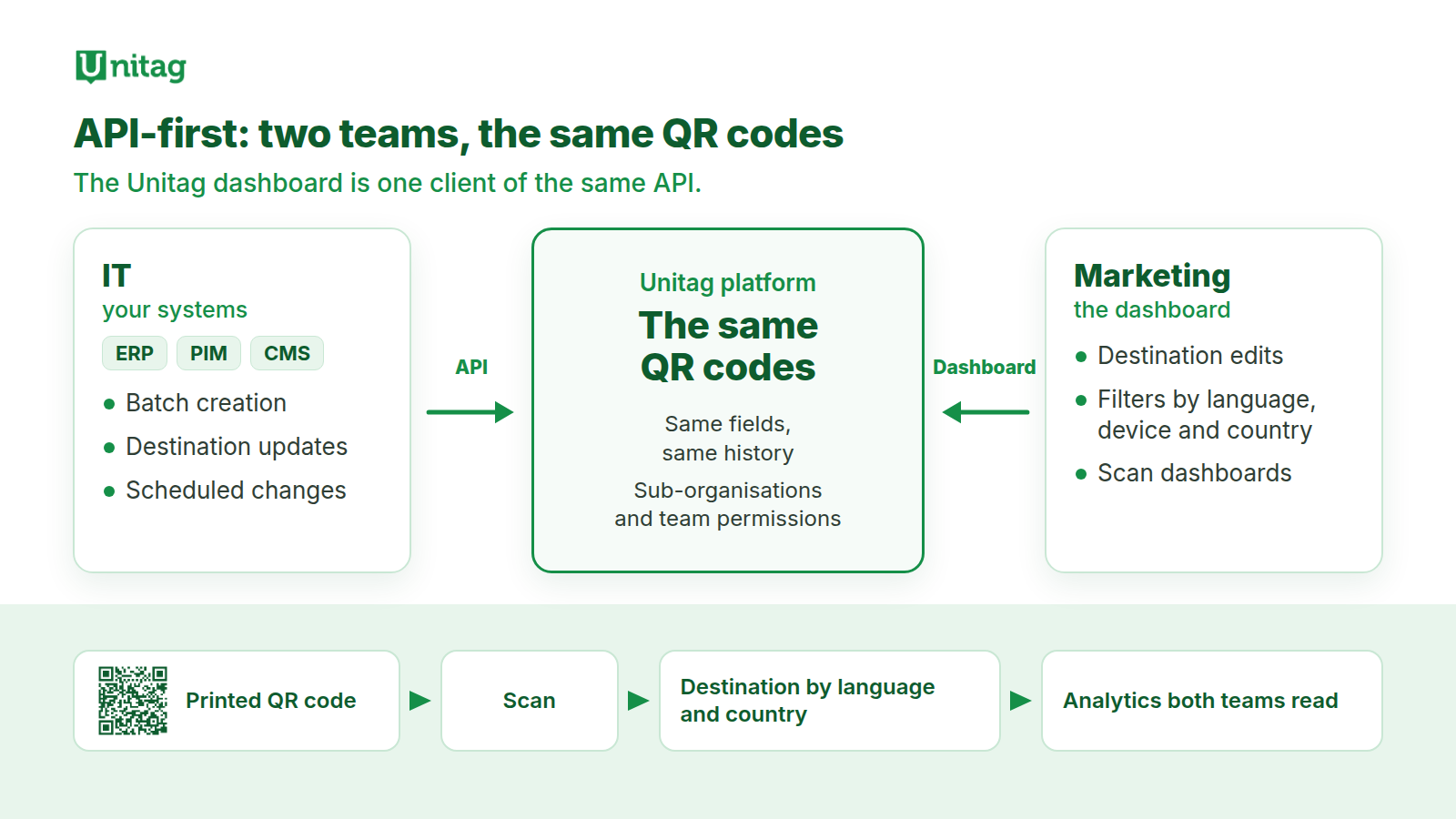
An API-first platform is built so that every meaningful operation is a documented API call, and the web dashboard is simply one client of that same API. The distinction sounds academic until you have worked with the alternative: a product where the interface came first and an API was added later, covering some operations, lagging behind new features, and behaving slightly differently from the buttons it imitates.
The practical consequences of the API-first design are easy to test during an evaluation:
- Anything a user can do in the dashboard, a service account can do over HTTPS: create a QR code, change its destination, archive it, read its scan history.
- A QR code created by a script and a QR code created by hand are the same object, with the same fields, visible in the same lists and governed by the same permissions.
- Changes are visible both ways. When a pipeline updates a thousand records, the dashboard shows the new state immediately, and a destination edited in the dashboard is what the API returns on the next call.
All three can be verified in an afternoon with trial credentials and a handful of API calls. A vendor who cannot give you credentials to try has answered the architecture question already.
Two quieter properties are worth probing at the same time. The first is authentication designed for machines: service accounts or API keys that belong to a system, with scoped permissions, so an integration does not run under a departed employee’s personal login. The second is stability: a published approach to versioning and deprecation, so the pipeline you build this year is not broken by a release next year. Neither shows up in a feature grid, and both determine what the platform costs to live with.
Four jobs that outgrow a dashboard
Batch generation against a product master. A packaging refresh across 3,000 SKUs needs 3,000 QR codes, each with the right destination, delivered as print-ready files to an artwork team on a deadline. Done by hand, that is weeks of copying between spreadsheets, with the error rate you would expect. Done through a batch capability, it is one pipeline run: extract the SKU list, submit it, collect the results, hand the files over. The win is small and concrete: the print deadline stops depending on how fast someone can click.
Staying in sync with systems of record. Product URLs move. Sites get redesigned, markets get their own domains, legal pages change address. If the mapping between products and destinations lives in people’s memory, printed QR codes rot quietly. If your PIM or CMS calls the platform whenever a URL changes, the printed QR code keeps working because its destination follows the record.
Scheduled changes. A campaign that switches at midnight in each market, a seasonal menu, a compliance page that must go live on a set date: a scheduler attached to the platform makes these routine. Without one, they are diary entries someone has to remember, usually on a Friday.
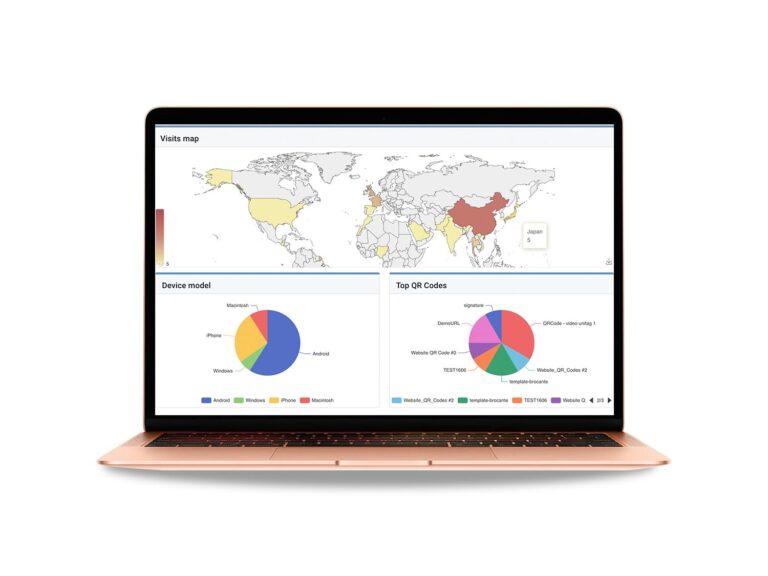
Feeding scan data back out. Scan analytics earn their keep inside the tools your teams already use. An export path from the platform’s analytics into your warehouse or BI stack turns scans into a dataset that sits alongside sales and web traffic, instead of a report someone screenshots once a month.
A first pipeline, end to end
To make this concrete, here is the shape of a first integration for a mid-sized European food brand with 1,200 SKUs and a PIM as the system of record.
A nightly job extracts new and changed products from the PIM. For each new SKU it creates a QR code on the platform with the product page as the destination, and files the returned print-ready QR code with the artwork assets for that SKU. For each changed product URL it updates the matching QR code’s destination, so packs already printed follow the move. Once a week, a second job pulls scan data into the warehouse, where a dashboard nobody had to build twice shows scans by product, market and week next to sales.
Total surface area: two scheduled jobs, three or four kinds of API call, one API key. Yet from that point on, no new product launches without a working QR code, and no site redesign silently strands printed packs. The scan reporting compiles itself, without anyone assembling a monthly deck. That is the standard a first pipeline should be held to: it stays boring, and it stays useful for years.
One platform, two teams
In larger organisations, two teams with different working styles own different halves of the same object. IT owns generation, integration and data. Marketing owns campaigns, destinations and creative. When each half runs on its own tool, the mapping between the two lives in email threads, and the first anyone hears of a broken redirect is a complaint from a customer.
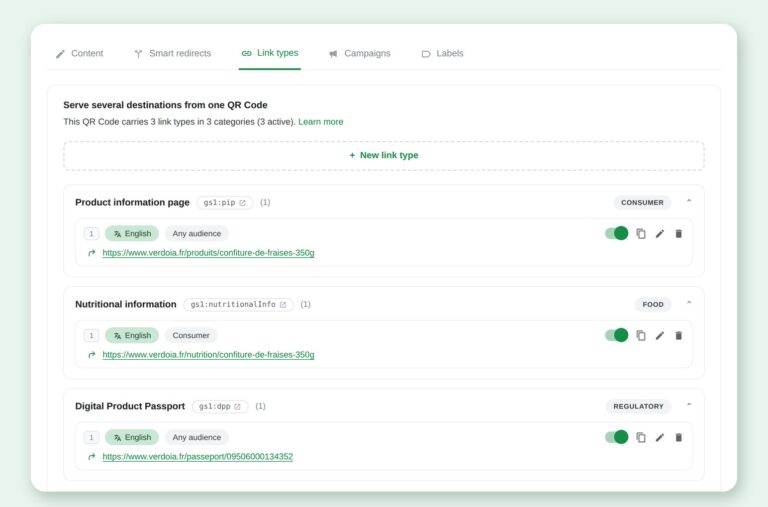
The architectural answer is one platform where both teams work on the same records through the interface that suits them. Engineers drive the API: batch creation, integrations, scheduling. Marketers use the dashboard: destination edits, campaign filters by language, device and country, scan dashboards. Neither team blocks the other, and there is exactly one answer to the question of where a given QR code points today.
Governance is what keeps that arrangement safe as it grows. On enterprise setups this means roles and permissions per team, sub-organisations that keep each brand or country inside its own perimeter, and an audit trail recording who changed which destination and when. A shared platform without those controls merely centralises the accidents.
Environments and change control
A printed QR code is unforgiving. The pack is already in the shop, so a bad destination change is live for every scan until someone notices. This is why environment separation, standard practice in software delivery for decades, belongs in a QR code platform evaluation.
The pattern to look for is simple: a way to create and test QR codes that cannot be confused with production ones, whether through a separate workspace, a sandbox organisation or a dedicated test perimeter inside the account. Your pipeline runs against the test perimeter first, and a reviewed change then goes to production. Add a review step for destination edits on high-volume QR codes and you have removed the most common failure mode in mature programmes: the well-intentioned late-evening edit that nobody else saw.
Change control also protects you from your own integrations. A sync job with a bug can rewrite destinations at machine speed. Per-record results, dry-run modes and an audit trail turn that risk from an outage into a log entry.
Where GS1 Digital Link fits
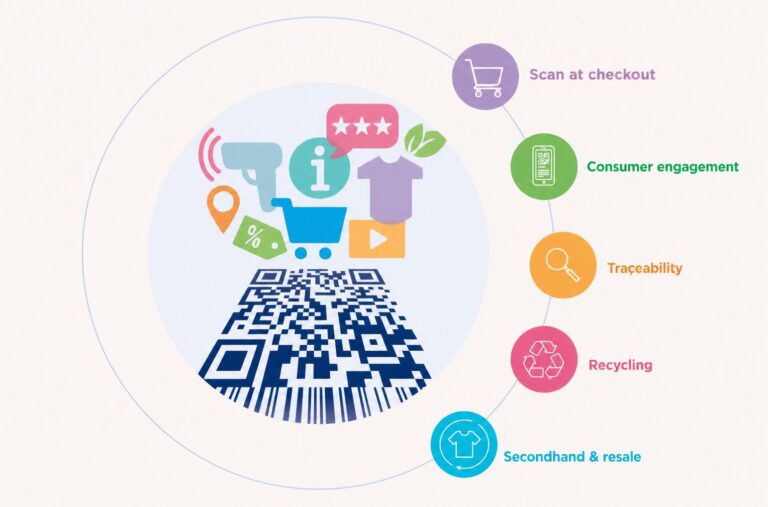
If product packaging is anywhere near your roadmap, one more requirement belongs on the list: support for GS1 Digital Link, the GS1 standard that turns a product’s GTIN (Global Trade Item Number) into a web address that works at the till and in a shopper’s camera. Under GS1’s Sunrise 2027 programme, retailers plan to be able to accept QR codes carrying GS1 Digital Link at point of sale by the end of 2027. There is no cliff edge for brands, and 2D codes are read alongside the familiar barcode during the transition, so treat it as a planning input with a clear target date.
It does, however, settle the API question on its own. Identifiers generated from a GTIN catalogue, registered against a resolver and kept in sync with product data are pipeline work from the first day. The GS1 Digital Link API reference covers that pipeline from the integration side, and creating a batch in Atlas covers bulk uploads.
See how enterprise teams run both halves on Unitag
Roles, sub-organisations and audit trails on one platform; the API is a separate offer.
What to put in the RFP
Distilled into requirements you can paste into an evaluation grid:
- Full API coverage. Every dashboard operation available programmatically, with documentation you can read before signing anything.
- Batch operations. Create and update QR codes in bulk, with per-record success and failure reporting.
- Link monitoring. A health check that flags destinations returning errors before customers find them.
- Scheduling. Destination changes that execute at a set time without a human awake.
- Analytics export. Scan data out of the platform and into your warehouse.
- Governance. Roles, sub-organisations and an audit trail that survives staff turnover.
- Environments. A test perimeter your pipeline can safely target.
- Hosting and compliance. For European organisations, EU hosting and a clear GDPR posture are usually non-negotiable. Unitag is EU-hosted, with teams in London and Toulouse.
- GS1 Digital Link support if packaging is in scope, including resolver capability on your own domain.
Score vendors on evidence for each line, and weight the lines by the integrations you actually plan to build in year one. A long feature list with thin documentation loses to a shorter list you can test today.
Two lines deserve extra weight for anyone buying in Europe. Hosting determines where scan data lives and which law governs it, and procurement will ask before you do. The governance line is the one that ages best: features can be added in a quarter, but a permission model is hard to retrofit once a platform is already carrying ten teams.
What to do now
- Count your QR codes and classify them. How many exist, who created them, and which point at destinations that a system of record has since changed. The gap between your QR code inventory and your product data is the true size of the project.
- Pick one integration and pilot it. The highest-value first pipeline is usually PIM or CMS to platform: when a URL changes, the QR code follows. It is small, measurable, and it removes your quietest failure mode.
- Write the governance page before scaling. Who may change production destinations, which changes get reviewed, which team owns which perimeter. One page now saves an incident review later.
- Test the API before the contract. An afternoon with trial credentials tells you more than any feature matrix, and it is the one step in this list a vendor cannot embellish.
See Unitag from the API side
Bring your own use case and we will walk through batch generation, environments and governance on a live account.
Related articles
- GS1 Digital Link resolver: the practical guide
- Self-hosted or managed GS1 resolver: how to decide
- GS1 Sunrise 2027: the QR code deadline, and what to prepare in 2026