
GS1 link types explained in plain language
One printed GS1 Digital Link QR code can send a shopper to the product page, a recycler to sorting instructions, and a customs system to the Digital Product Passport. The mechanism that makes this work is called link types, defined by the GS1 Digital Link standard. GS1 documents it in standards PDFs and a vocabulary browser; few pages explain it in plain language. This guide fills that gap, with real examples.
Unitag is certified by GS1 France on the GS1 Digital Link URI Standard structure and the QR Code symbol, and listed as a GS1 Solution Provider. The platform tracks 2.4 million scans daily across 189 countries.
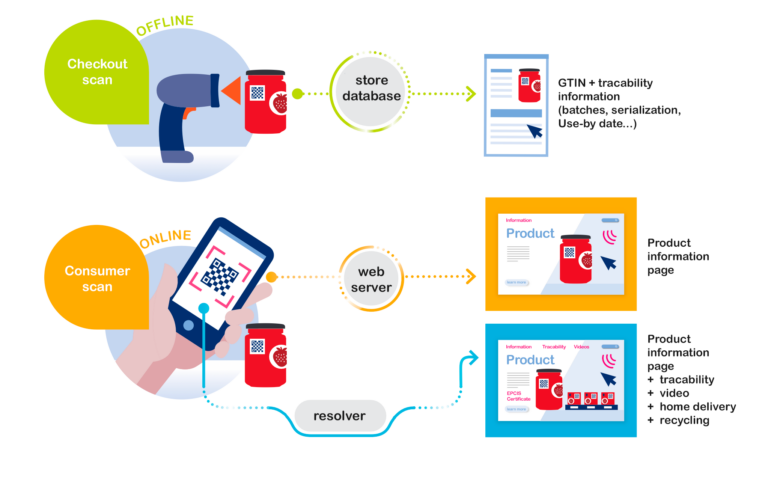
One printed QR code, several destinations: how a scan “asks” for something

Start with the simple case. A shopper scans the QR code with a smartphone and lands on the default destination the brand chose, typically the product page. Nothing new there.
The GS1 Digital Link standard adds one possibility: a scanning system can say what it wants, by adding a parameter to the address inside the QR code. The request looks like this:
https://id.unitag.io/01/09506000134352?linkType=gs1:nutritionalInfoTranslation: “for this product (GTIN 09506000134352), give me the nutrition information”. The resolver, the service that receives every scan, reads the request and routes the reader to the destination the brand declared for that link type. If no destination matches, the scan falls back to the default link, so no scan is left without a destination.
Three properties make it dependable:
- The printed QR code never changes. Link types are declared and edited in the Unitag dashboard, after printing. Adding the Digital Product Passport in two years costs no reprint.
- Each link type carries its own languages. Instructions in French and German, the product page in ten languages: each entry declares the languages it serves, and the resolver picks.
- Each entry switches on and off. Inactive entries are ignored by the resolver, so destinations can be prepared before they open.
The link types, family by family
The GS1 standard defines a vocabulary of types, each with a technical identifier. Here they are as they appear in the Unitag dashboard, with what each one does:

Regulatory. gs1:dpp leads to the Digital Product Passport, the type customs and inspection systems are expected to request. gs1:certificationInfo carries product certifications, gs1:sustainabilityInfo sustainability and recycling information, gs1:safetyInfo safety information, gs1:recallStatus the recall status (declared before any crisis, it exists on every pack the day it is needed), gs1:traceability track-and-trace, gs1:epcis EPCIS logistics events.
Consumer. gs1:pip is the product information page, the most common public destination. gs1:instructions carries usage instructions.
Food. gs1:nutritionalInfo for nutrition, gs1:allergenInfo for allergens, gs1:ingredientsInfo for ingredients, gs1:recipeInfo for recipes. For wine, the nutrition and ingredients types answer the EU information obligation (Regulation 2021/2117), which the text allows to be met electronically; allergens stay on the physical label.
Healthcare. gs1:epil (electronic patient information leaflet), gs1:eifu (electronic instructions for use) and gs1:smpc (summary of product characteristics) are restricted to healthcare-sector accounts, in line with the sector’s rules.
B2B. gs1:masterData exposes product master data, gs1:verificationService a verification service, gs1:jws signed data. These are the types retailer and logistics systems request; consumers never see them.
Each type gets its own detailed page in our glossary; this guide is the table of contents.
Audience and languages: the extra precision
A link type can also declare its audience: any audience, consumer, patient, healthcare professional, retailer, supplier or recycler. A destination reserved for an audience is only served when the scan explicitly asks for it. One bottle can carry the public page, the retailer sheet and the recycler instructions, and each reader is served the destination it asks for.

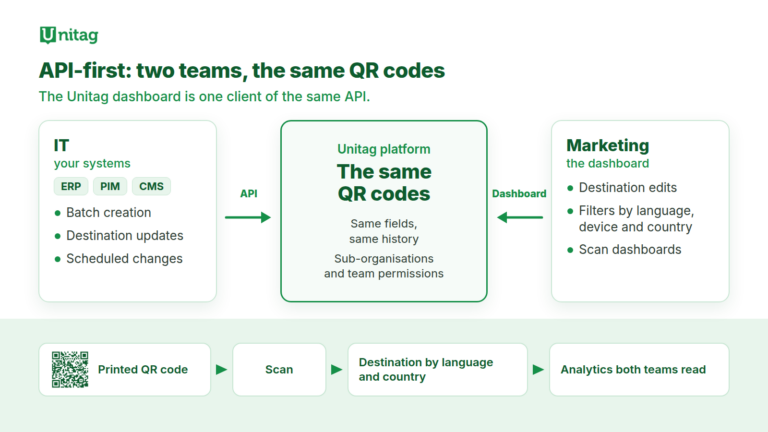
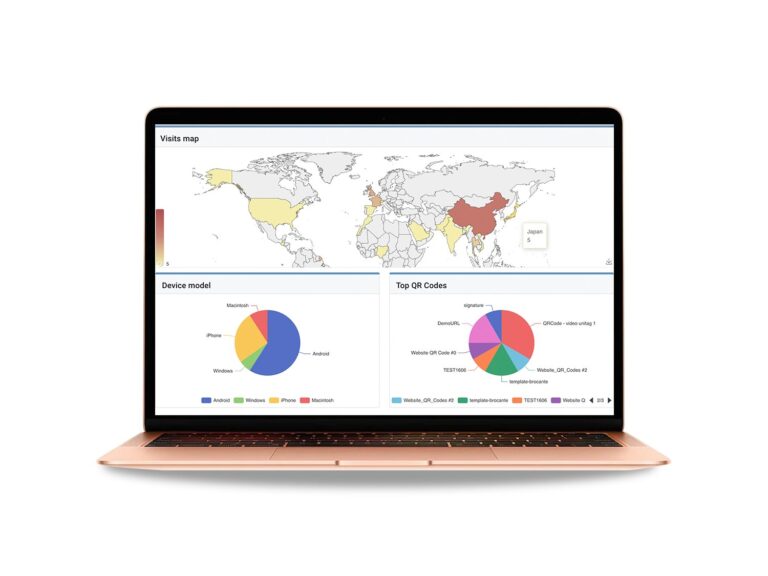
This works alongside smart redirects, which adapt the destination to the scanner’s language, country or device. The difference fits in one line: smart redirects adapt to who is scanning, implicitly; link types answer what is being asked, explicitly. Together, they let one printed QR code serve every destination, audience and language, with scan analytics per link type.
Bonduelle already structures its ranges with GS1 Digital Link QR codes
What it is for, concretely
Three situations cover most real use:
- Electronic labelling for wine and food. For wine, the EU obligation is in force: nutrition and ingredients may be provided electronically. Link types are the standards-conformant way to meet it, on the same QR code that carries the brand experience.
- Regulatory readiness. The Digital Product Passport arrives sector by sector;
gs1:dppbecomes one more destination behind a QR code already printed, andgs1:recallStatusexists before the crisis rather than after. - Retail’s move to 2D. As GS1 Sunrise 2027 approaches, the same QR code serves checkout, logistics and the consumer; the B2B types answer retailer systems without touching the public experience.
Frequently asked questions
What is a GS1 link type? A typed destination declared behind a GS1 Digital Link QR code, served by the resolver when a scan explicitly requests that type (?linkType=). The vocabulary of types is defined by the GS1 Digital Link standard.
Do I need to reprint to add a link type? No. Link types are declared in the Unitag dashboard after printing; the printed QR code never changes.
What happens if a requested type does not exist on a product? The scan is served by the product’s default link. A request never falls into a void.
How are link types different from smart redirects? Smart redirects adapt the destination to the person scanning (language, country, device), without them asking anything. Link types answer an explicit request from the scanning system. The two combine on the same QR code.
Is this Unitag-specific? No, it is the GS1 Digital Link standard, and that is the point: a conformant QR code stays readable by any system that speaks the standard. Unitag is certified by GS1 France on the GS1 Digital Link URI Standard structure and the QR Code symbol.
Create your first GS1 Digital Link QR code
Free trial, EU hosting, no fees per QR code.
Read next
- GS1 resolver: one printed QR code for Sunrise 2027 and the Digital Product Passport
- DPP resolver: what the European standards actually require
- The EU Digital Product Passport registry is live