

QR code types
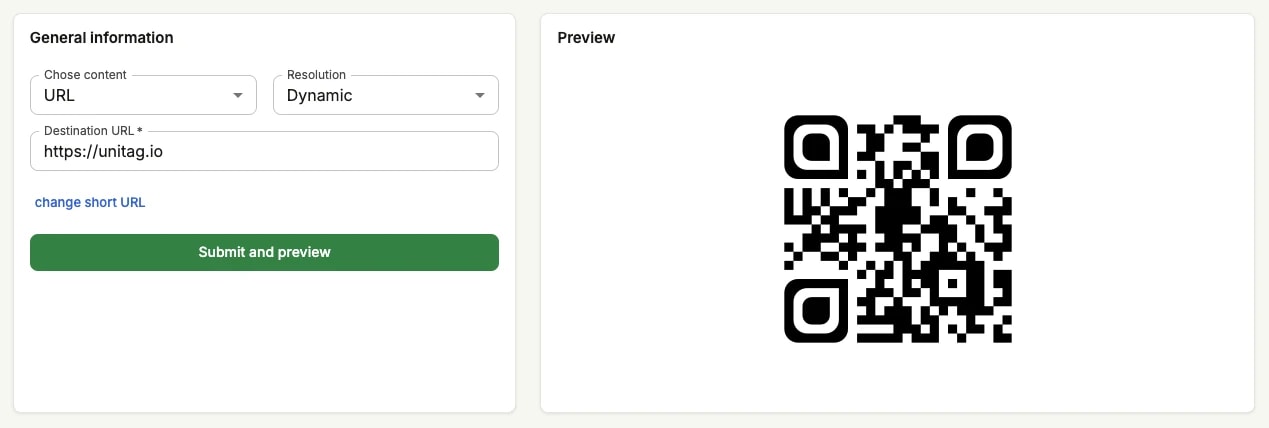
On the generator, the Resolution field offers two answers: dynamic or static. It is the most consequential choice on the form. It decides whether your QR code is a fixed piece of printed data or a link you keep control of, and it cannot be changed once the code is published.
Dynamic
Dynamic is the resolution to pick unless you have a specific reason not to. It is the only one whose destination can still be corrected after the code is printed, and the only one that reports scans.
A dynamic QR code does not encode your destination at all. It encodes a short URL pointing at Unitag's servers, which redirect every scan to wherever you currently send it. That one layer of indirection is what buys you the rest: you can change the destination after the code is printed, you can count the scans, and you can route people differently by device or by language.
The short URL is generated for you and needs no attention — customising it is optional, and only possible while the QR code is being created.
Dynamic is selected by default on console.unitag.io, alongside URL content.
Dynamic Pro
Dynamic Pro is a dynamic QR code whose short URL sits on a branded domain of your own rather than on Unitag's. The link your readers see carries your name instead of a generic shortener, which is both a mark of trust and a small piece of free advertising every time the URL is shown. In every other respect it behaves exactly like a dynamic QR code.
Static
A static QR code encodes its content directly into the pattern. The scanning phone reads the destination out of the code itself, so nothing is ever requested from Unitag: it works offline, and it keeps working whatever happens to your account.
Whatever the content, Document and Audio media are the exception: Unitag hosts those files, so they cannot be static at all.