


Products
A product is what actually carries a QR code. Everything else in Smart Packaging exists to organise products or to decide where their codes lead.
The Products screen is a filterable table of every product on the account, with two creation buttons above it: Create Product for a standard product, and Create GS1 Digital Link product for one whose QR code encodes GS1 identifiers.
The list
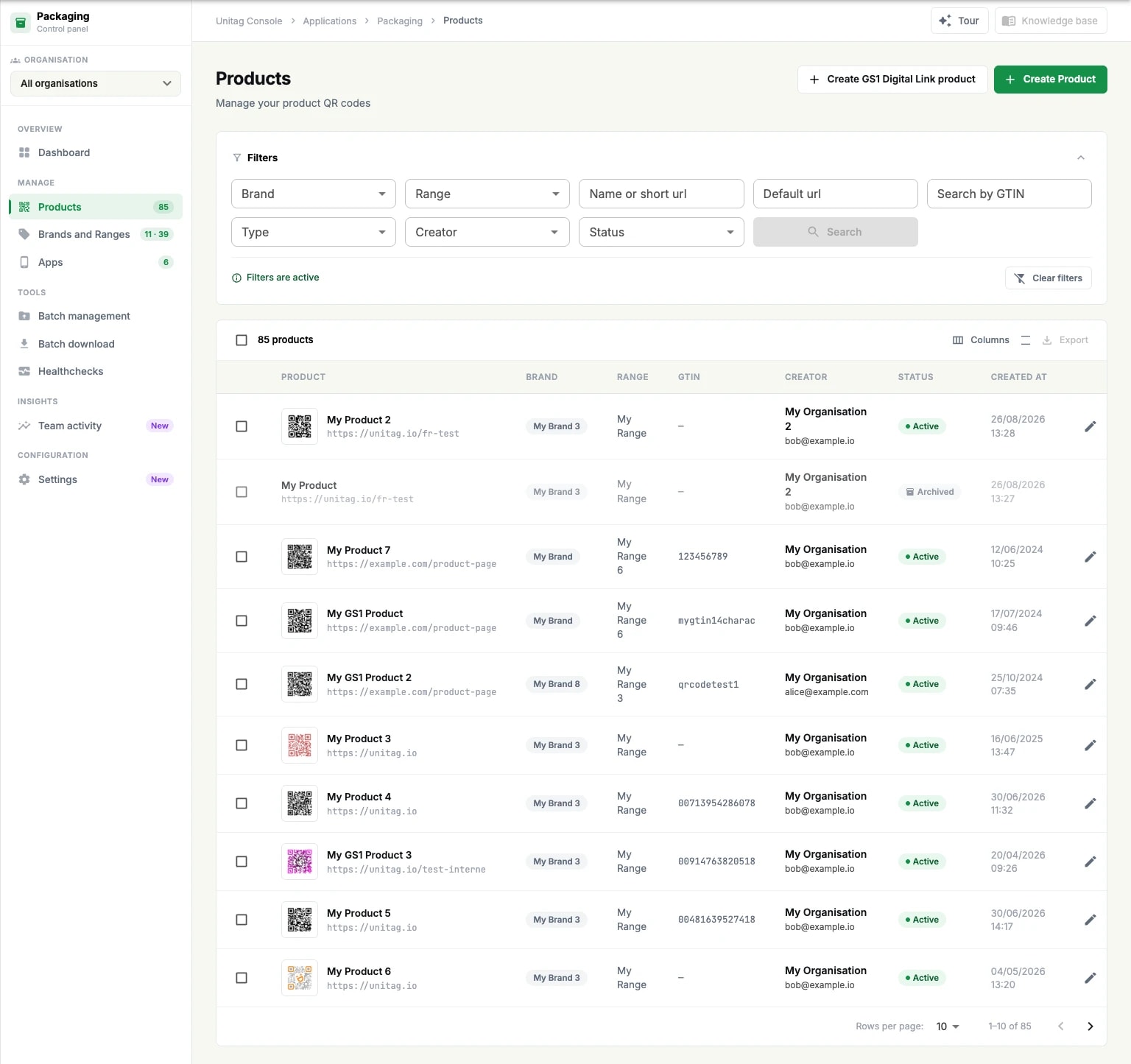
The filter panel narrows the list by brand, range, name or short URL, default URL, GTIN, type, creator and status. Search applies them; Clear filters puts the full list back, and a Filters are active notice tells you when you are looking at a subset — worth reading before concluding that a product is missing.
The table carries the product with its default URL and a preview of its code, then its brand, range, GTIN, creator, status and creation date. Columns chooses which of those are shown and Export downloads the list.
Each row ends in four actions: Edit, Redirection urls, Download, and Archive. An archived product shows Restore and Delete instead — archiving is reversible, deleting is not.
Create a product
The product editor is one form in four parts.
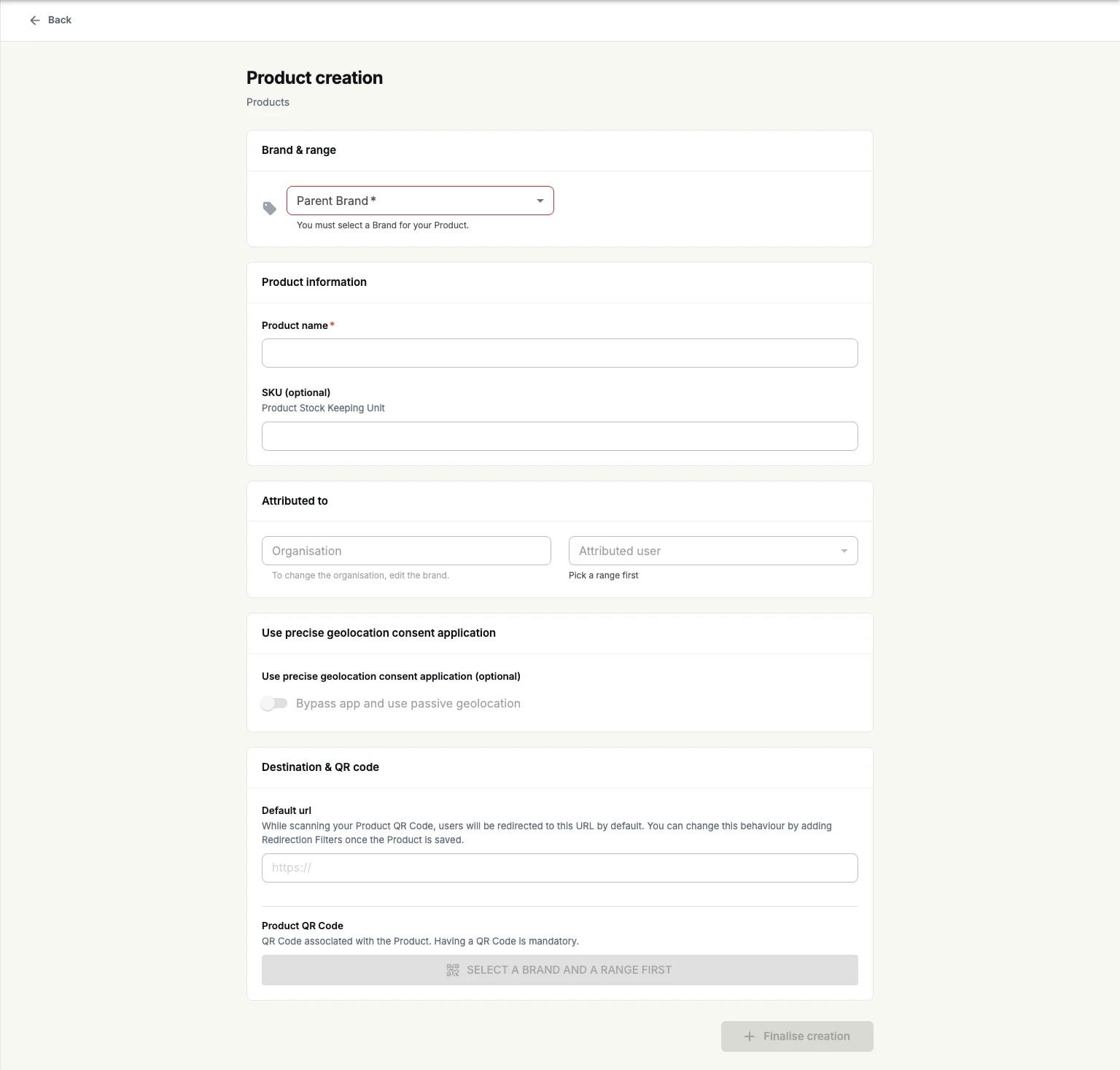
Brand & range: the parent brand and range. Both are required, and they have to exist first.
Product information: the product name, an optional SKU, and Attributed to — the organisation, which comes from the brand, and the attributed user. Below it, Will be visible to states who the product will be visible to once saved.
Geolocation: whether the product uses a precise geolocation consent application, or bypasses the app and uses passive geolocation instead. This is what connects a product to a Packaging app.
Destination & QR code: the default URL a scan resolves to, and the QR code attached to the product. A product must have a QR code.
Finalise creation saves it. The console notes beside the default URL that this behaviour can be changed afterwards by adding redirection filters — that is the redirection URLs screen, and it is only available once the product exists.
GS1 Digital Link products
Create GS1 Digital Link product adds a GS1 Information section to the same form. It holds the identifiers that will be encoded in the code's URL:
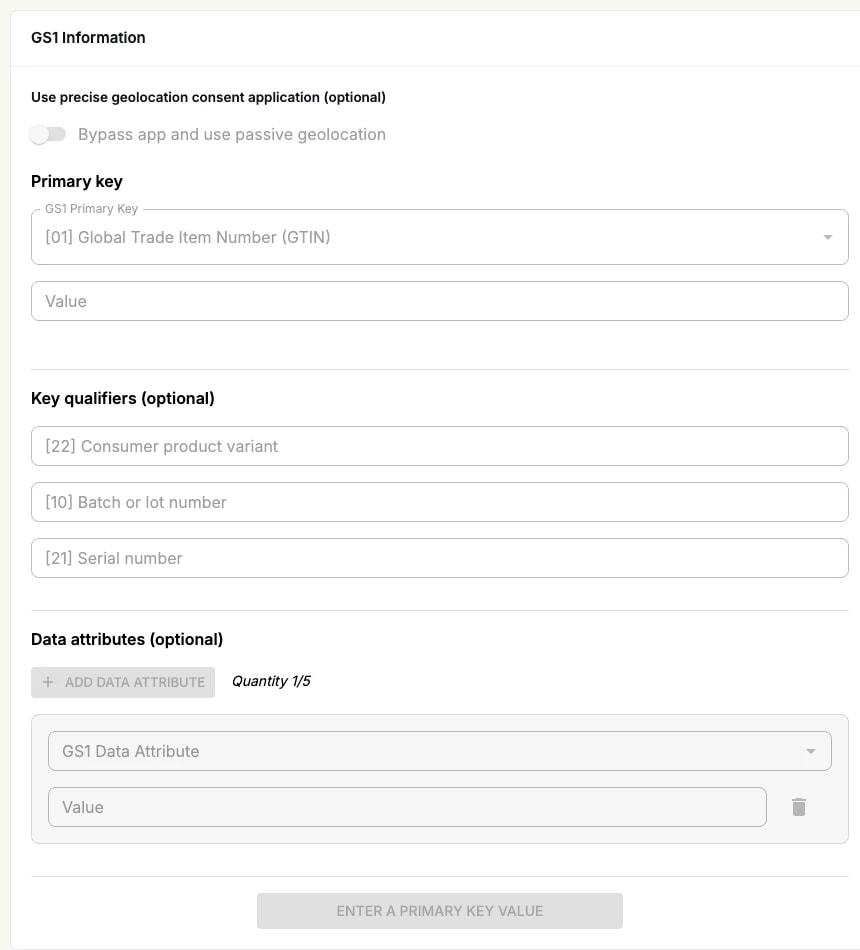
Primary key: usually the GTIN, with its value.
Key qualifiers, all optional: consumer product variant, batch or lot number, serial number.
Data attributes, up to five: additional GS1 data carried in the URL.
The GS1 standard itself, and the same code created outside Packaging, are covered in the Digital Link section.
Archiving and deleting
Archiving a product takes it out of the working list without destroying it; it can be restored, and it stays in the filters under the Archived status. Deleting is only offered on an archived product, and it is permanent — a deleted product's QR code stops resolving, including on packs already printed.