


Redirection URLs
A product has one default URL and as many redirection URLs as it needs. A redirection URL is a rule: for this country, or this language, or this combination of the two, send the scan here instead.
That is the mechanism behind the promise of a single printed pack sold in several markets. The code never changes; what changes is who is scanning it.
Opening them
The Redirection urls button on a product row opens the panel. It shows the product's short URL — on opn.to — and the list of rules already defined, each with its country, language and destination.
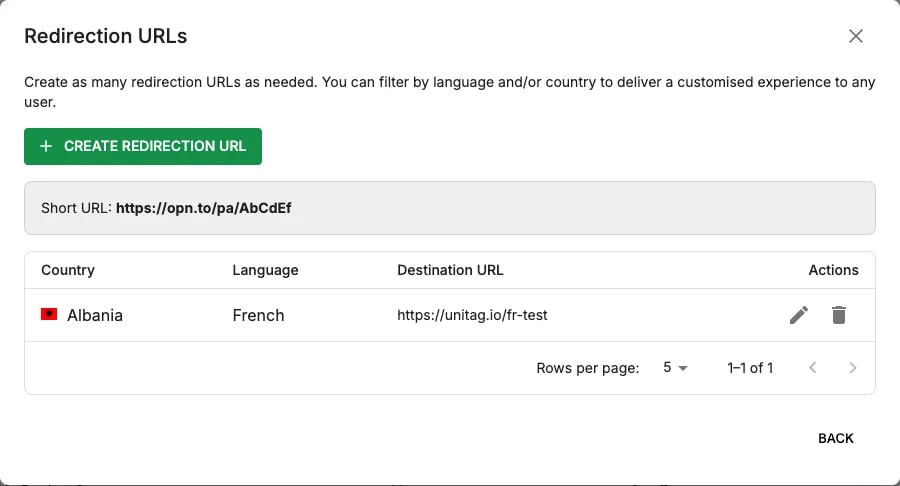
Create redirection URL adds a rule; the pencil and bin on a row edit and remove one.
How a scan is matched
A scan carries a country, derived from the visitor, and a language, taken from their device. Unitag looks for the rule that matches, and falls back to the product's default URL when none does.
Two consequences are worth planning around:
the default URL is not a placeholder — it is what most of the world will get, so it should be the sensible general page rather than one market's;
a rule on language alone covers every country where that language is spoken, which is usually what you want for a language and rarely what you want for a legal notice.
Setting the same rules on every product by hand does not scale. Filters propagation, in Settings, pre-creates them on each new product of a brand.