


Settings and team activity
Two screens sit apart from the day-to-day work: Settings, which decides what new products are created with, and Team activity, which records what has been done.
Filters propagation
Setting the same redirection URLs on every product of a brand, one product at a time, is the kind of task that quietly stops being done. Filters propagation pre-configures them instead: define the recurring filters once per brand, and every product created under that brand is generated with those filters already attached to its default URL.
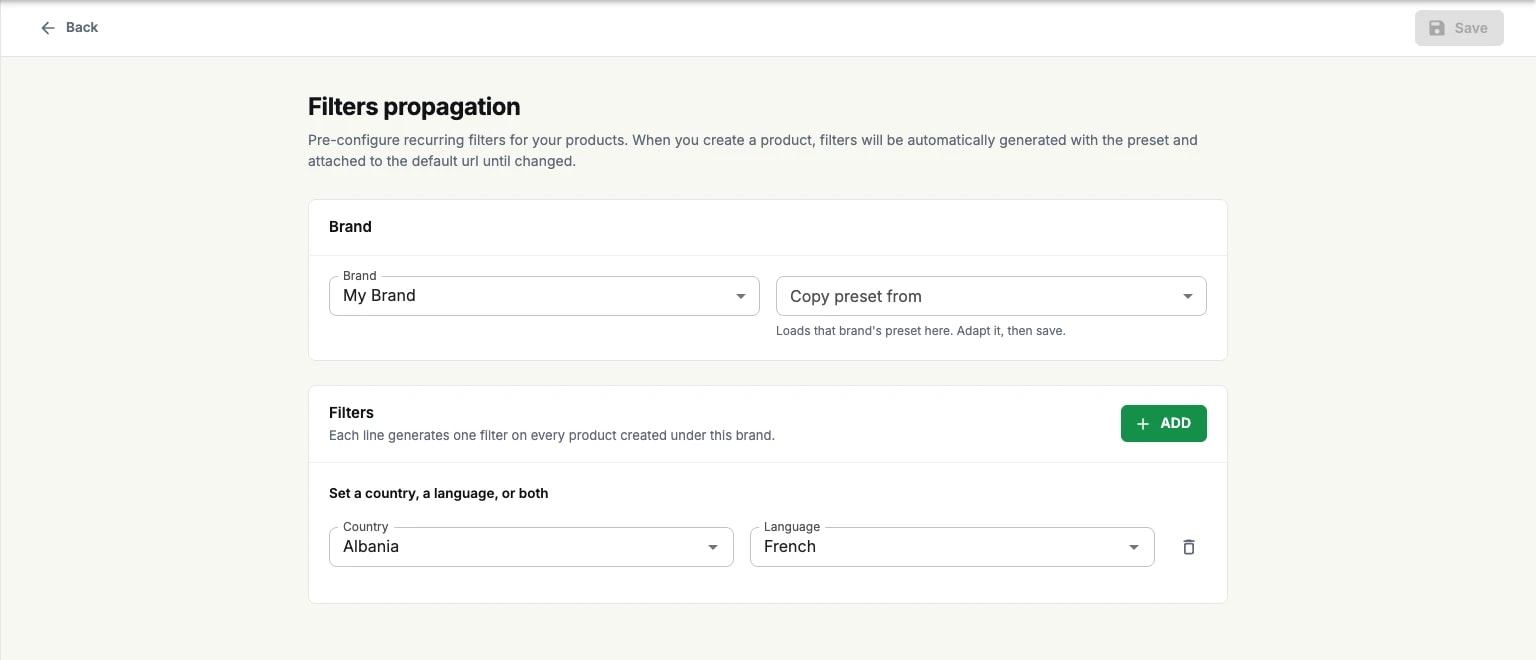
Configure opens the editor. Pick the brand, then add one line per filter — a country, a language, or both. Copy preset from loads another brand's preset so a second brand can start from the first rather than from nothing; adapt it, then save.
The preset applies to products created after it is set, and each product's filters stay editable afterwards. It is a starting point, not a lock.
Team activity
Team activity tracks what your team is doing across Packaging: one line per action, with the account that performed it, the object it touched and a chip saying whether it was a creation, an update or an archive.
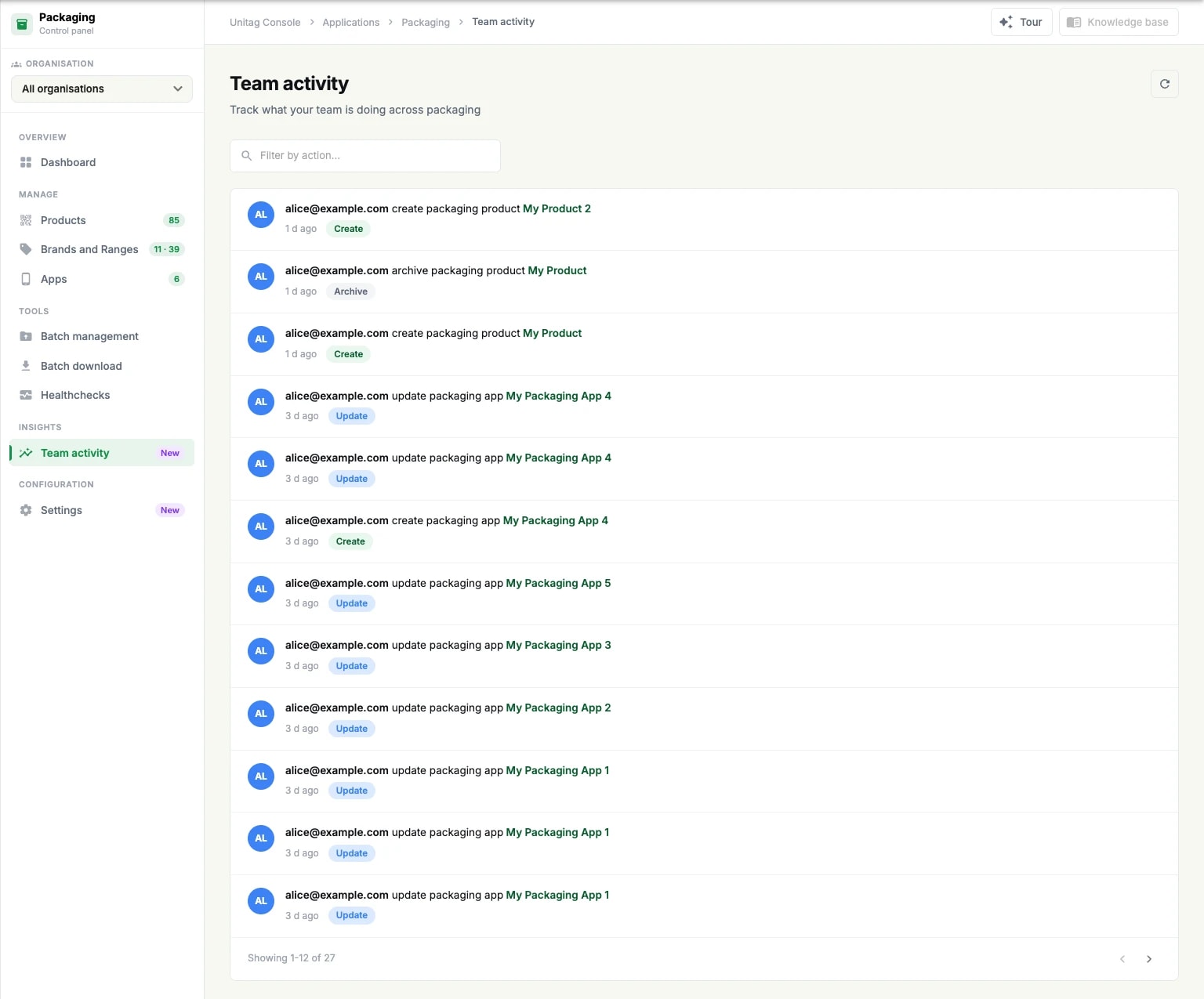
It is scoped to Packaging. The account-wide record, across every application and exportable to CSV, is the audit log in the Compliance section.