


Brands and ranges
Brands and ranges are the two levels above a product. They are not decoration: they decide who owns what, they group products for filtering and bulk work, and a brand is what a geolocation app attaches to.
Brands and Ranges shows one card per brand, each listing the ranges under it, when it was created and which organisation owns it.
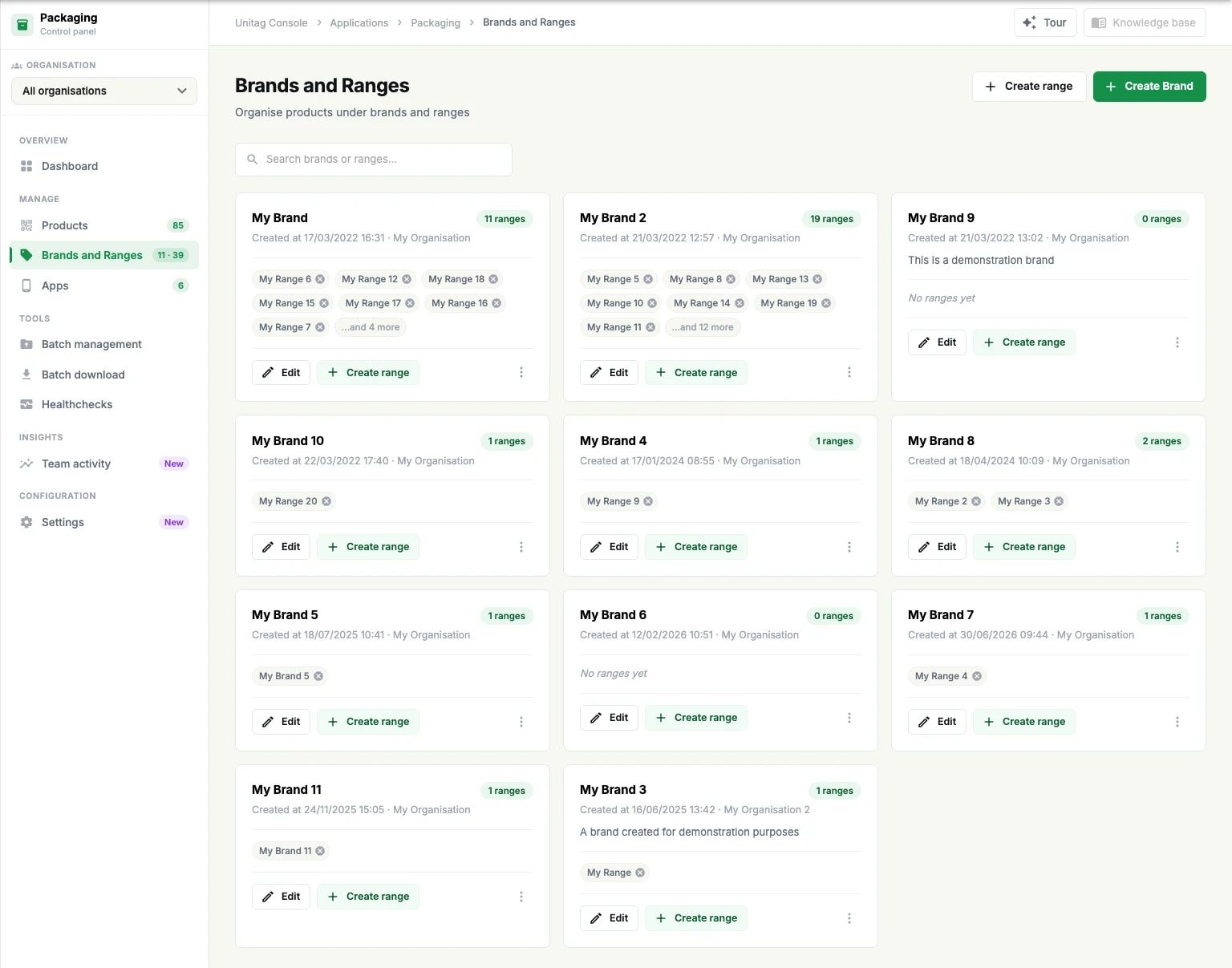
Create a brand
Create Brand asks for three things:
Brand name, the only required field;
Description, optional, shown on the brand's card;
Attributed to: the organisation and the user that own the brand.
The console states the consequence of that last field plainly — every range and product under the brand will follow. Ownership is set at the brand and inherited downwards, which is why a product's editor tells you to edit the brand if you want to change its organisation.
Create a range
A range needs a parent brand, a name and, optionally, a description. Create range appears both at the top of the page and on each brand card — the one on a card pre-selects that brand.
Ranges are the level most people under-use. They are what makes a filter on the product list useful, what a batch file addresses, and what keeps a catalogue of several hundred products navigable. Mirror the categories your catalogue already has rather than inventing new ones.
Editing and searching
Edit on a brand card opens the same form the brand was created with. The search field above the cards filters brands and ranges by name, which is faster than reading a wall of cards once an account holds a dozen brands.