


Scheduler activity log
The activity log is the Scheduler's own record: every schedule created, updated or deleted, and every change it applied to a QR code. It answers the question that comes up when a code leads somewhere unexpected — was it the schedule, and when did it run?
It is reached from Activity log in the Scheduler's left rail, below the two schedulers.
Reading the log
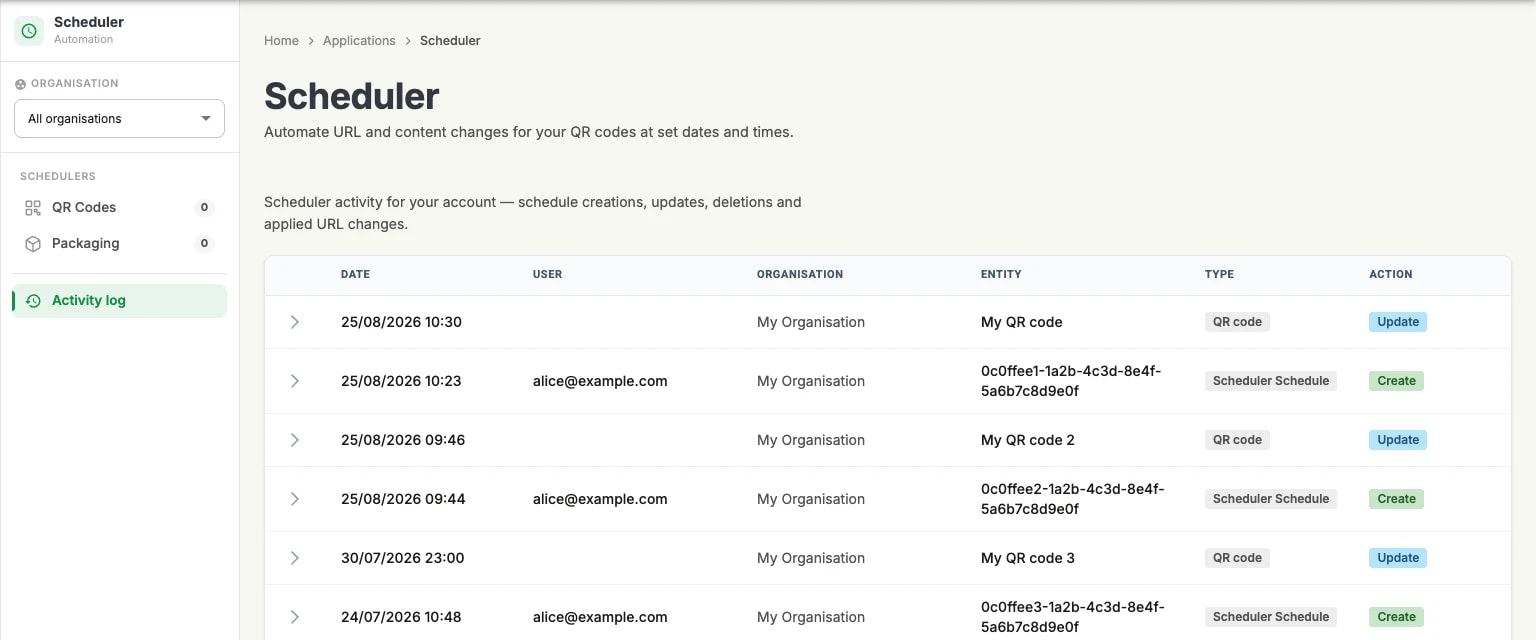
One line per action, most recent first:
Date: when the action happened, to the minute.
User and Organisation: the account that acted, and the organisation it acted in. A change applied by the platform itself carries no user — that is how an automatic run is told apart from a manual one.
Entity and Type: what was touched. A Scheduler Schedule line is the schedule itself; a QR code line is a change the schedule applied.
Action: Create, Update or Delete.
The chevron at the start of a row opens it for the detail of what changed.
How it relates to the account audit log
This log is scoped to Scheduler. The account-wide record, covering every application and exportable to CSV, is the audit log in the Compliance section.