


Batch tools
Two screens exist for the case where the number of products makes the interface the wrong tool: Batch management, for creating and updating products from a spreadsheet, and Batch download, for getting their QR codes out as files.
Batch management
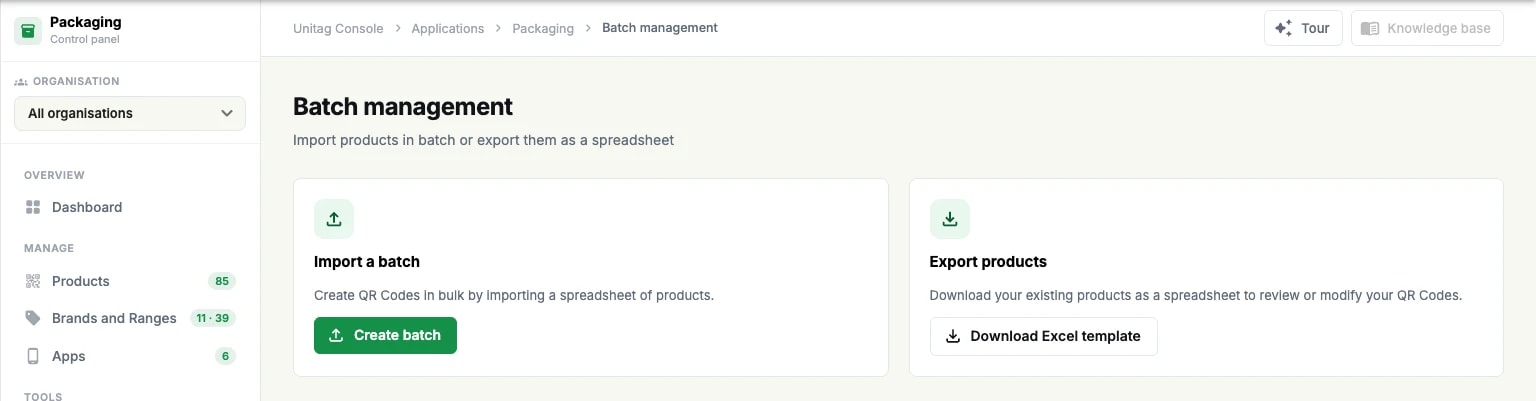
Batch management has two halves:
Import a batch: create QR codes in bulk by importing a spreadsheet of products. Create batch starts the import.
Export products: download your existing products as a spreadsheet, to review them or to modify them and import the result back.
The export is also the reliable way to get the template: a file exported from your own account already has the right columns and your own data in them, which removes most of the guesswork about what each column expects.
Batch download
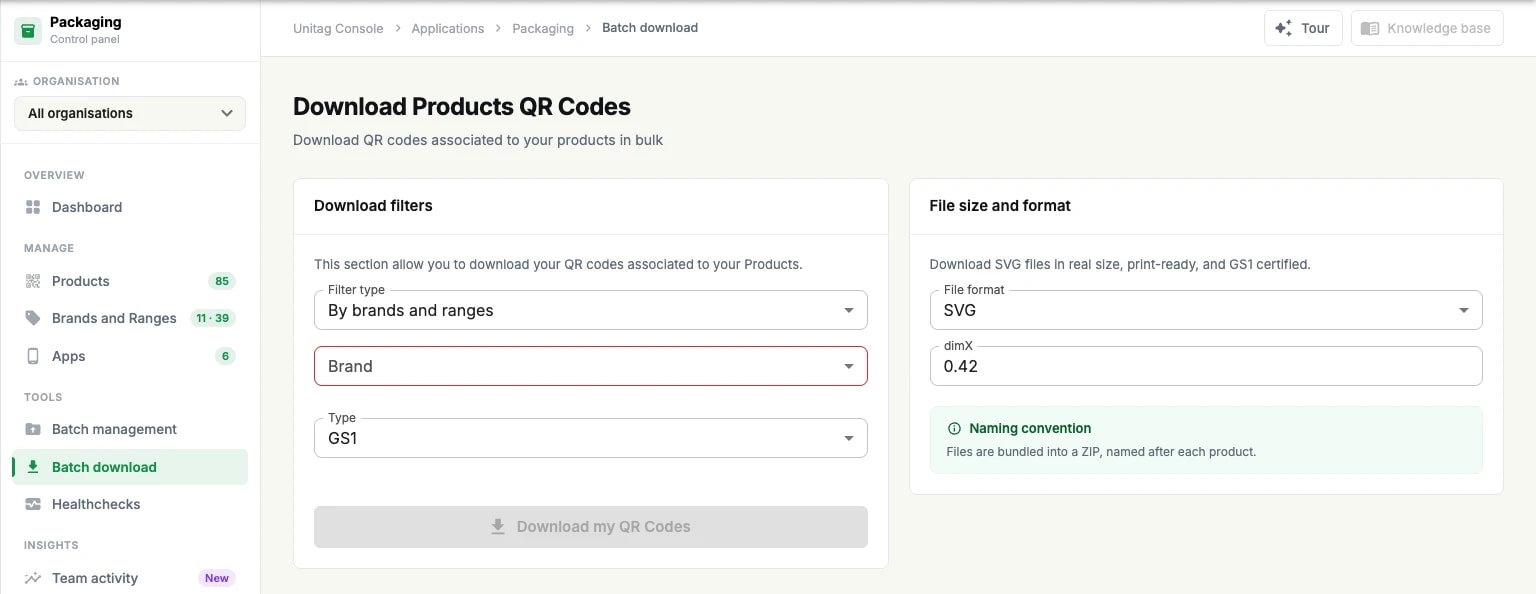
Batch download produces the QR code files for a set of products, ready for artwork. It is organised around three questions:
Download filters: which products — by brand and range, optionally narrowed to GS1 type, or by batch ID for the products created in one import.
File size and format: SVG files in real size, print-ready and GS1 certified, with the dimension you need.
Naming convention: files are bundled into a ZIP, named after each product.
SVG rather than a raster format is the point: a QR code that will be printed at an unknown size has to stay sharp at every one of them.