


Manage domains
Settings → Domains is the single list of every domain name registered on the account, whether it is serving traffic or still waiting on a DNS record.
Reading the list
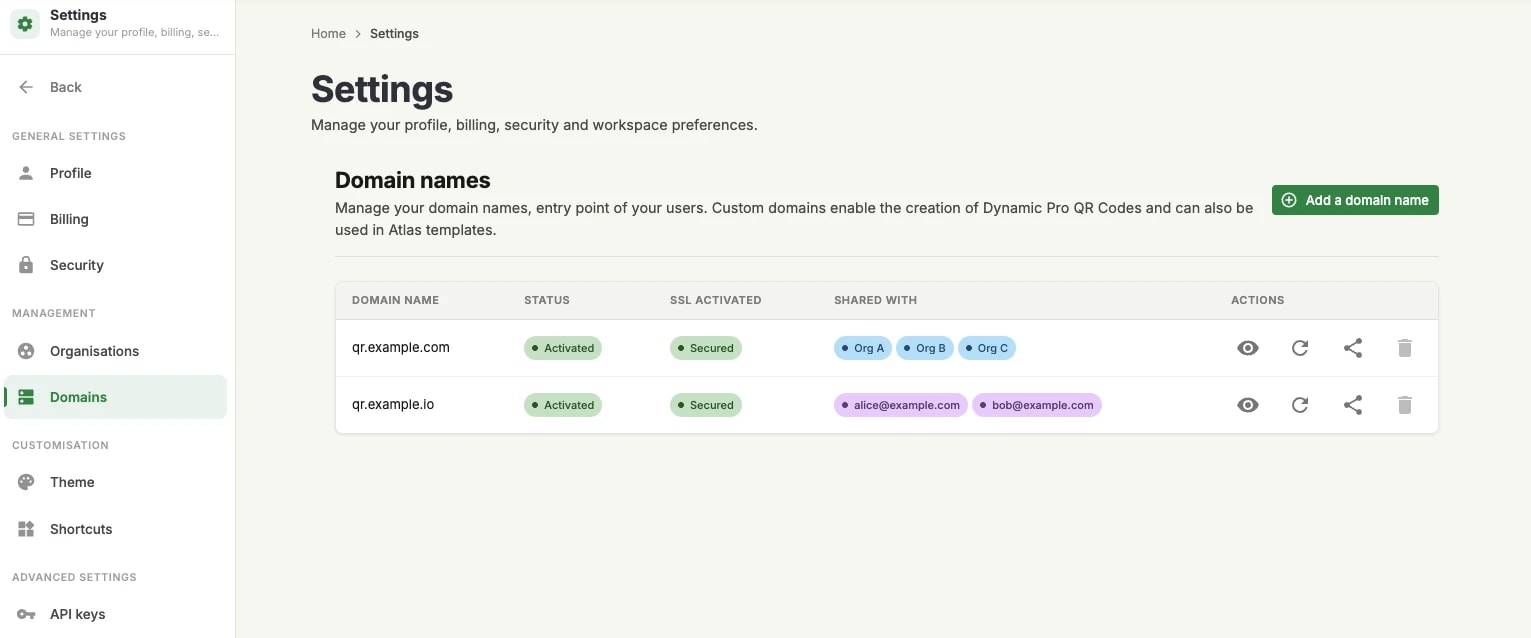
Each row is one domain, with four columns before the actions:
Domain name: the subdomain as you registered it.
Status: Activated once the DNS record has been verified, Pending verification until then.
SSL activated: Secured once the TLS certificate has been issued, so the domain serves over HTTPS. It follows the status rather than leading it — a domain that is not yet verified has no certificate.
Shared with: who else may use the domain, or Not shared. Blue chips are organisations; purple chips are individual users.
The row actions
Four buttons sit at the end of every row:
See configuration, the eye: opens the domain's configuration page — the CNAME record your zone should contain, its verification status, and the DNS provider selector.
Refresh verification: re-runs the DNS check without waiting for the next automatic one. This is the button to use after adding the record, or after changing it.
Sharing options: opens the sharing dialog described below.
Delete: removes the domain. Only the account owner can delete an active domain, and the button is disabled for everyone else.
Checking the configuration
The configuration page is the same one the wizard ends on, and it stays available for the life of the domain. It is where to look when a domain that used to work stops resolving: it shows the record Unitag expects and whether that record currently resolves.
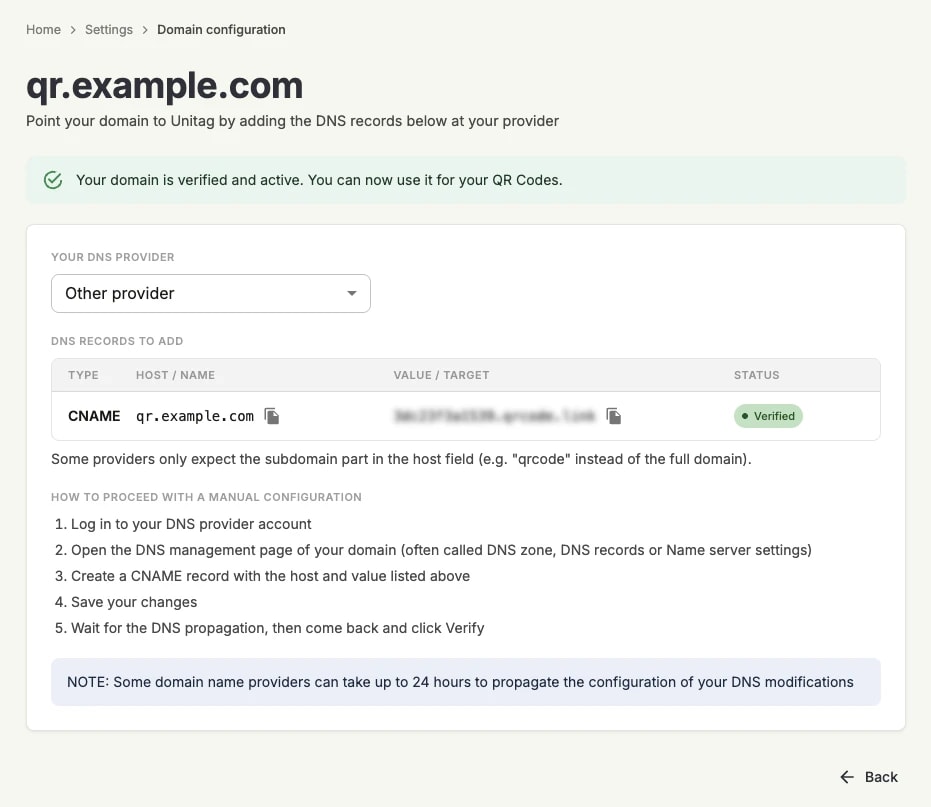
A domain that has slipped back to Pending verification has almost always lost its DNS record — a zone migration, a provider change, a cleanup. Re-add the record shown here and press Verify.
Sharing a domain
A domain registered on the account belongs to the account, not to the person who registered it. Sharing decides who else may build QR codes on it — and, in a multi-organisation account, that decision is what keeps one team's codes from resolving under another team's brand.
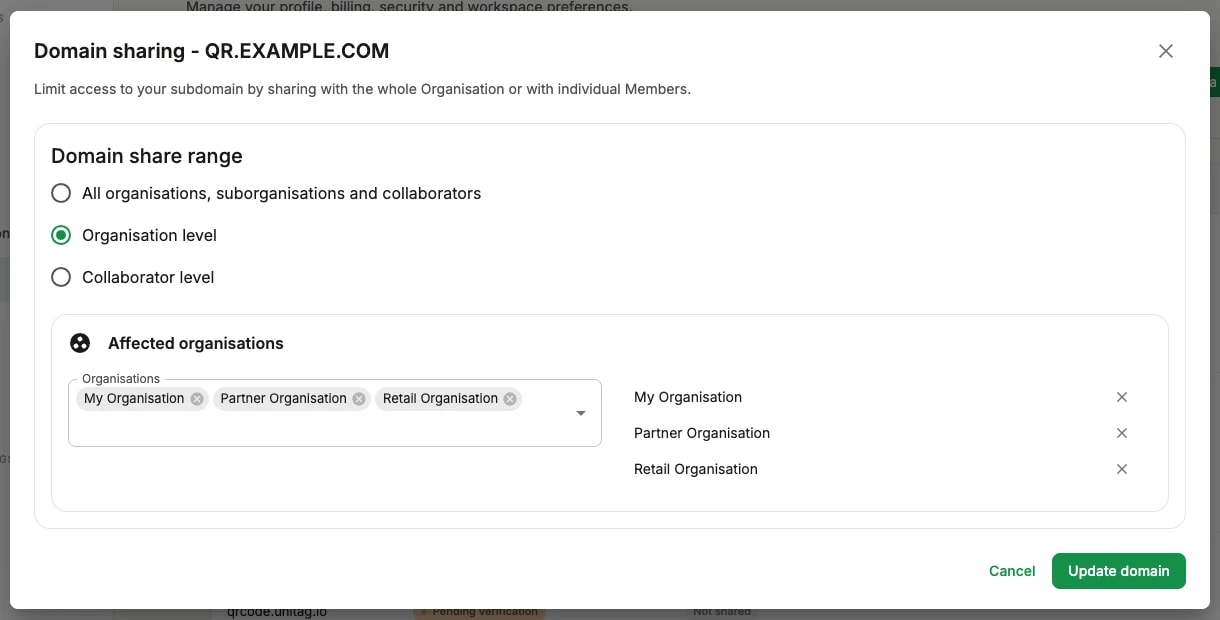
The sharing dialog offers three scopes:
All organisations, suborganisations and collaborators: everyone on the account may use the domain. The right choice for an account with a single brand.
Organisation level: only the organisations you pick. Their members inherit the access. This is how an agency or a group keeps each brand's domain to the organisation that owns the brand.
Collaborator level: only the individual users you pick, regardless of the organisation they belong to.
Picking a scope reveals the matching selector — organisations for the second, users for the third — and the chips you add there are what appears afterwards in the Shared with column: blue for organisations, purple for users. Update domain saves the change.
Sharing by organisation requires that the organisation exists first. Sub-organisations and users are covered in the Organisations section of this documentation.