


Analytics dashboard
The Analytics dashboard is where scans arrive. Whatever you opened it from - a single QR code, a selection, a whole campaign - the dashboard reports on that set, and every panel below reads the same selection.
Device model and Top QR Codes
Two donut charts open the dashboard. Device model splits the scans by the phone or computer that made them; Top QR Codes ranks the codes in the selection by how much of the total each one accounts for. Both carry the same total in the middle, and both list the count and the share beside each entry.
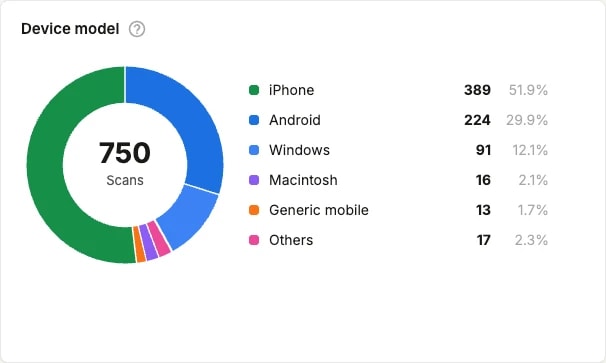
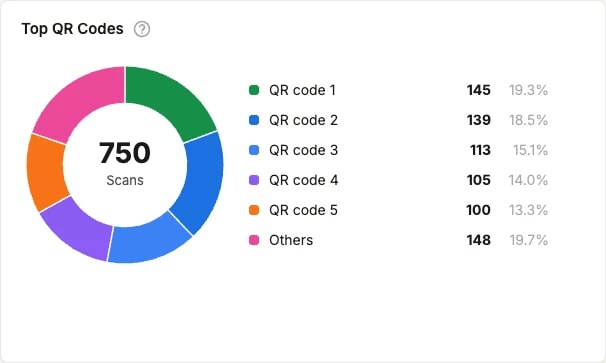
The legend is interactive: click an entry to drop it from the chart, and the remaining slices are recalculated over what is left. It is the quickest way to compare two entries without the largest one flattening everything else.
Map of visits
The map shows where the scans came from. Countries are shaded by volume against the scale on the left, and the circles mark the towns and cities the scans were located to.
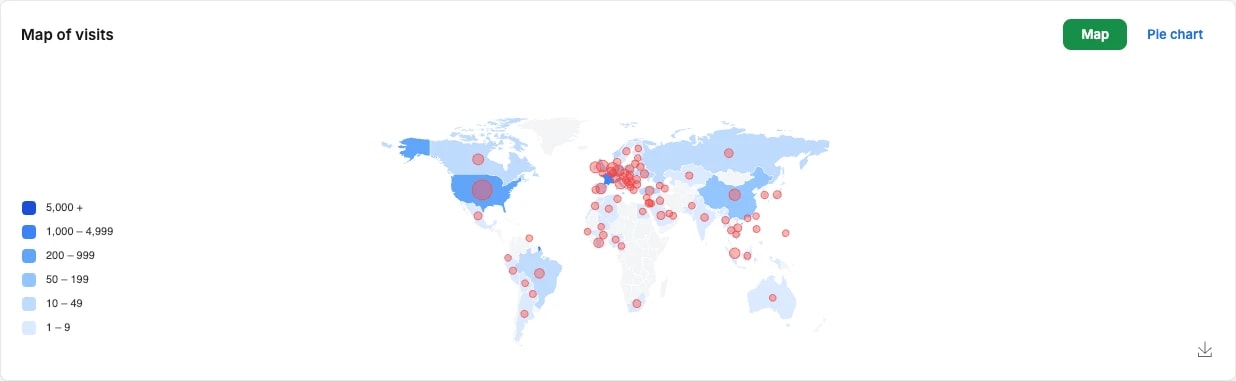
The Map / Pie chart switch, top right, swaps the map for the same country figures as a chart.
The download button, bottom right of the panel, saves the map as a .png file.
Scans history
Under the charts, the scan history lists the scans one by one: when it happened, which QR code was scanned, the device model, and the country it came from. It is the panel to open when a number in a chart looks wrong and you want to see what it is made of.
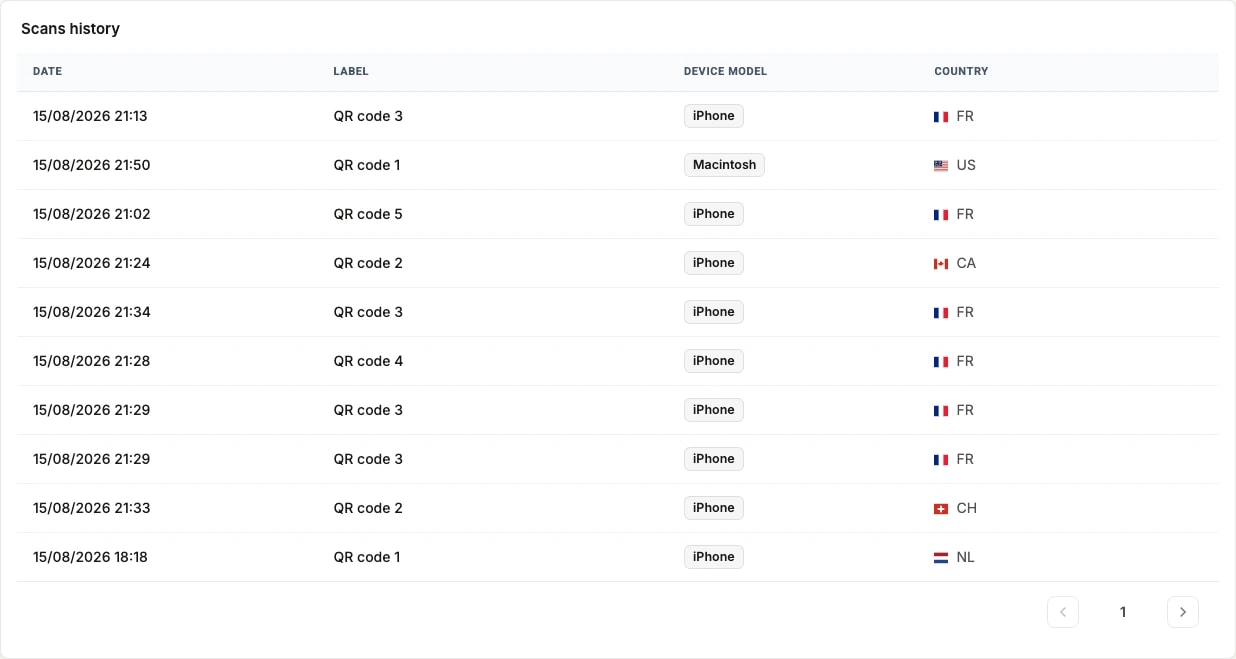
Each row is a single scan. Use the arrows under the table to page through them.